
See these links for MC-LS and MC-LS-MK2 instructions.
1. Configurations at a Glance
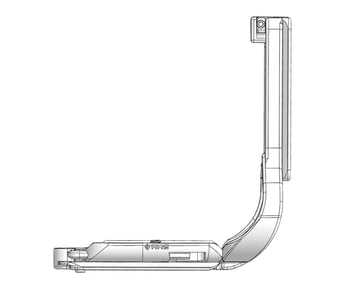
L‑Brackets (L‑plates)
-
One-piece L‑Bracket: Base and vertical upright are one solid piece for maximum rigidity.
-
Modular / sliding L‑set: Separate base plate plus L‑component that can slide/extend for port and screen clearance.
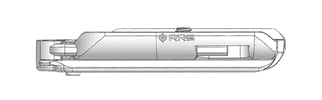
Base plates
-
Camera‑specific base plate: Low‑profile plate for the bottom of a single camera model, with anti‑twist features and full access to doors/ports.
-
System base plate in L‑set: Base plate designed to accept a dedicated L‑component as part of a modular L‑set.
Use L‑Brackets when you need fast, centered horizontal/vertical mounting on a tripod; use base plates when you mostly shoot horizontal and want the most compact mounting solution.
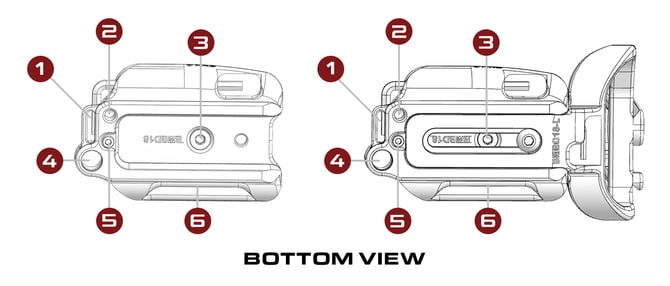
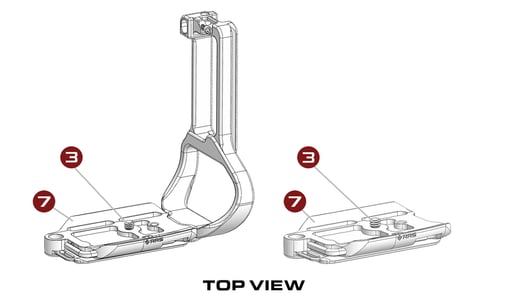
Features
-
Optional strap boss
-
Accessory socket 1/4"-20 threaded
-
Mounting Screw
-
QD Socket for optional QD strap
-
Optional safety stop screw
-
Centering index mark
- Anti-twist flange
What's in the box?
Your specific camera plate will include the tools necessary to install and adjust the plate. This can include, but is not limited to (2) hex keys, (1) mounting screw, and (1) safety stop screw.
2. Installation (Base Plates and L‑Brackets)
Perform these steps for any camera body base plate or L‑Bracket set.
- Prepare camera and plate
- Wipe the camera base and plate contact surface clean (no dust, debris, sand, or moisture) to ensure there is no slipping and movement.
- Remove hex-key. If applicable: Remove l-component prior to installation.
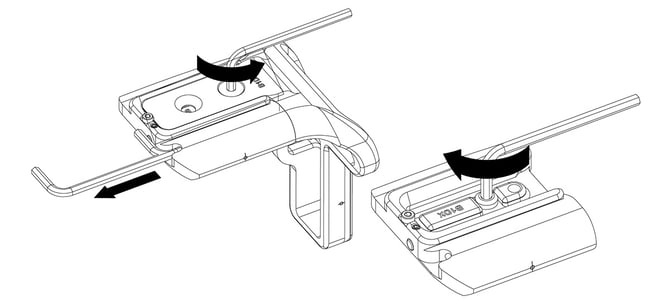
-
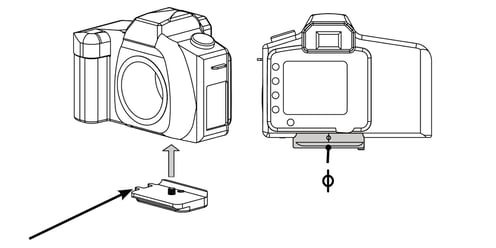
Align plate to camera
-
Tighten mounting screw
-
Verify access and function
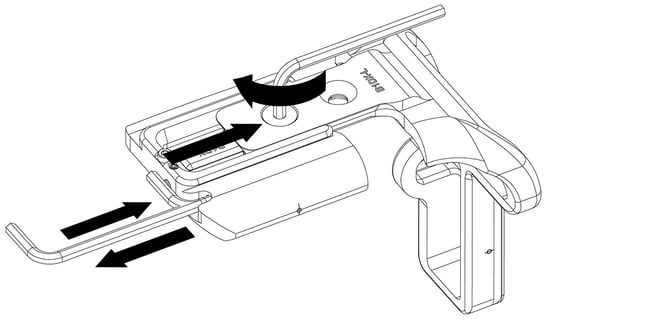
3. Adjusting L‑Components (Ports and Screen)
For modular or sliding L‑sets only. Neck strap will need to be removed where applicable to ensure full connection to camera body.
-
Locate adjustment hardware and camera strap boss
-
Identify the screws that clamp the L‑component to the base (for example B107 screws in slotted holes).
-
If needed, hook strap boos anchor to the camera's strap boss for proper alignment, then guide the l-component into the slot on the base plate.
-
-
Set side‑port clearance
-
Check screen articulation
-
Use built‑in articulation slots when present
-
Some L‑components include slots/reliefs specifically for screen articulation; in these designs, you may not need to extend the L‑component away from the body—use the provided clearance features first.
-
-
Final rigidity check
-
After adjustment, confirm the L‑set is tight with no flex and mounts securely in both horizontal and vertical orientations.
-
4. Removal
-
Support camera and plate
-
Hold the camera securely over a padded surface.
-
-
Loosen mounting screw
-
Manage loose hardware
5. Cleaning and Maintenance
RRS® camera plates are anodized to protect against corrosion and mild abrasion. It will not protect from scraping or dropping on rocks, concrete, etc. Take precautions to prevent your plate from getting fouled in mud, dirt, or sand.
-
Clean contact surfaces
-
Clean dovetails
-
Check fasteners
-
Inspect for damage
-
Look for deep gouges, bent areas, or deformed dovetails that could affect clamping; discontinue use if structural damage is suspected.
-
NO LUBRICATION IS REQUIRED BY THE USER
 A Note About Dovetails
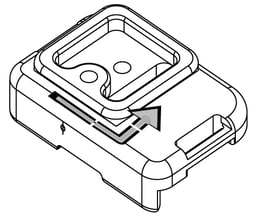 Most camera body plates have a single set of dovetail grooves that allow the camera to slide left/right when mounted in the quick-release clamp so that the camera can be centered.
Some medium & large format plates have a fore/aft dovetail so that the camera’s weight can be better distributed.
But some plates, known as bidirectional plates, have two sets of dovetail grooves. These allow the camera to slide left/right or fore/aft. Bidirectional plates, due to their design, do not have safety stop screws.
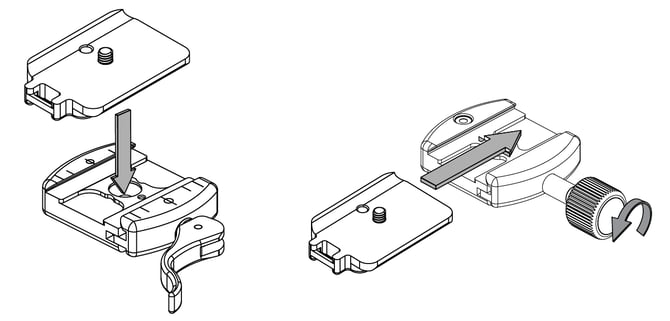
Mounting Plate In Clamp
|
LEVER RELEASE CLAMP Swing the lever fully open and top-load the plate. |
SCREW KNOB CLAMP You may top-load or side-load the plate. Turn the knob a half-turn and the clamp will be loose enough to release or load the plate. |
Know Your Gear
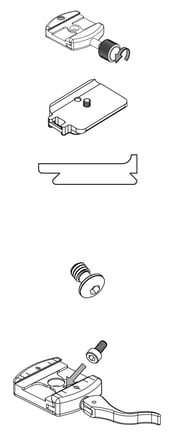 CLAMP: the quick-release part with jaws that is semi-permanently installed on your tripod head. We sell two different styles of clamps: lever-release and screw-knob.
PLATE: mounts to the bottom of anything (camera, lens, flash) that you want to sit in the clamp. Most RRS plates are customized plates, not generic.
DOVETAIL: is the 45° grooved edge portion of the plate that mates with the clamp. This tongue- &-groove concept was initially applied by the Arca-Swiss company. Equipment that meets this standard is commonly known as Arca‑style or Arca‑Swiss compatible. All RRS plates are Arca-style plates.
CAPTIVE SCREW: stays in the mounting hole or slot, even when the plate is removed from the camera. A captive screw has no threads under the screw head.
SAFETY STOP SCREW: If your clamp is not fully closed, the screw will hit the clamp and stop the plate from sliding through the clamp when you turn the head on its side to shoot in portrait mode.
Using The QD Socket
Our QD socket accepts industry standard push-button QD mounts. The QD socket must be kept free of dirt or grit to allow the QD mount to fully seat and snap into the socket. Always check that QD mount on your strap/swivel is fully Always check that QD mount on your strap/swivel is fully seated and completely engaged before use.