
Overview
The MC-LS Mk2 (SKU RRS-9030133) is our updated universal L-set, designed to be adaptable to a wide range of camera bodies. This manual will help you understand the function, assembly, and use of your MC-LS Mk2.
Section 1 - PARTS
In the Box:
- MC-LS Mk2 Plate
- MC-LS Mk2 Base Plate
- MC-LS Mk2 Dual-sided Anti-twist Flange/Rubber pad Plate
- MC-LS Mk2 LC1 L-Component Extension Rail for MC-LS Mk2
- MC-LS LC2 Upright L-Component for MC-LS and MC-LS Mk2
- 3x B107 1/4"-20 screw
- 1x 1/4"-20 x 3/16" flathead screw
- 1x 5/32" custom hex key
- 1x 5mm Safety Stop screw
- 1x 2.5mm Hex Key
______________________________________________________________________________________
Section 2 - PIECES AND LOCATIONS
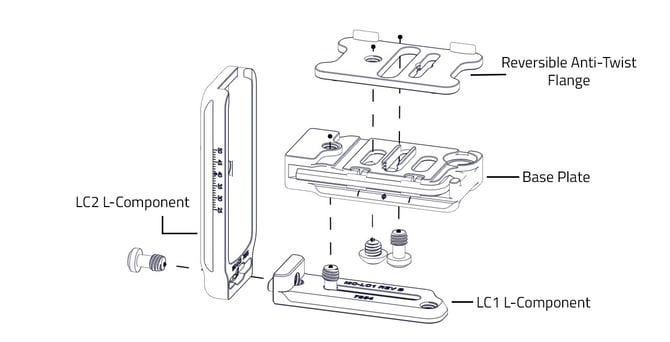
The MC-LS Mk2 is made up of four parts that go together like so:
- LC1 L-Component
- LC2 L-Component
- NEW Reversible Anti-twist Flange Plate
- Base plate
______________________________________________________________________________________
Section 3 - STEPS TO ASSEMBLE
The MC-LS-Mk2 comes pre-assembled, but should you need to re-assemble it, follow these instructions.
Step 1: Connect the Reversible Anti-Twist Flange Plate to the Base Plate with a 1/4"-20 x 3/16" flathead screw (the only different screw) using our 5/32 Hex Key
Note: the 5/32 Hex Key is attached to the base plate with grippers rather than magnets. This does not affect the structural integrity.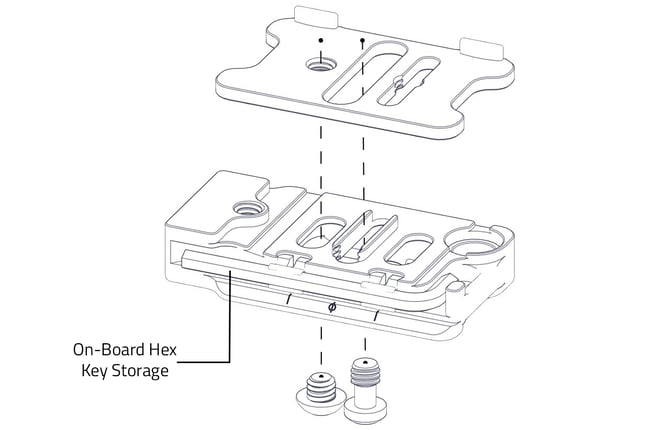
Step 2: - Use a B107 Screw, on the base of the MC-LC1 to connect it to the MC-LC2 for a complete L component.
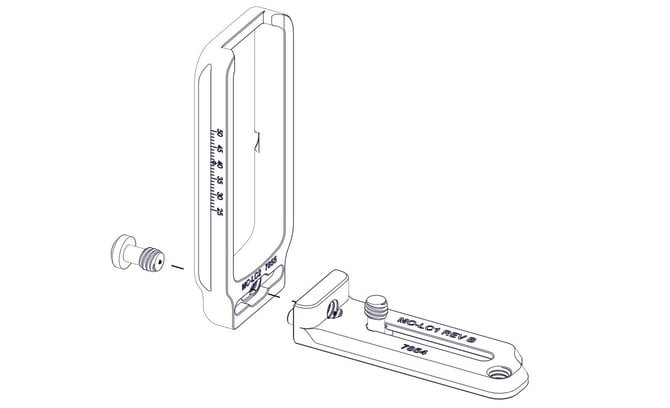
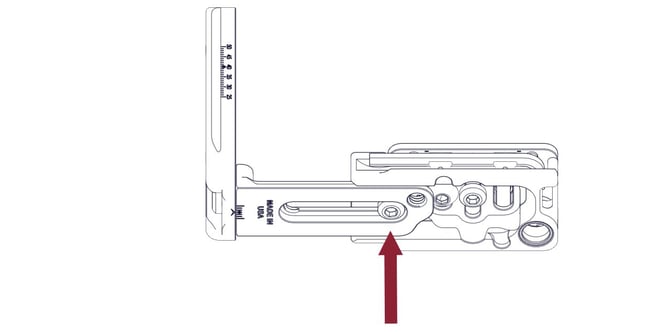
Step 3: - Connect the completed L component to the base plate, to make the L set using another B107 screw.
______________________________________________________________________________________
Section 4 - STEPS TO ADJUST THE PLATE TO YOUR CAMERA
Each piece is adjustable, to make a flush fit for your camera!
-Similar to the original MC-LS, to take the hex key out, press down on the protruding end, then it will pop right out! 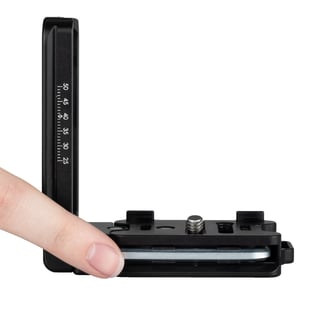
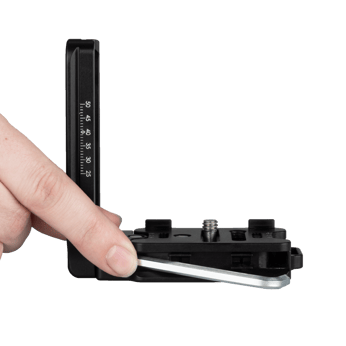
Step 1: - Extend your L component by loosening the first screw at the base of the L bracket to gain access to the other screws.
Step 2: - Set plate to desired side that best fits your camera. If using the rubber pads, adjust the L-bracket so that the base dovetail is parallel to the lens mount and sensor plane. For anti-twist flange, simply set the flanges against the edge of your camera and use the 1/4"-20 x 3/16 screw and the hex key to adjust the fore-aft position.

Plate can be adjusted forward and backward to assist in aligning camera with L-bracket and base plate. Choose between having the flanges toward the front of the camera or toward the back for your camera.
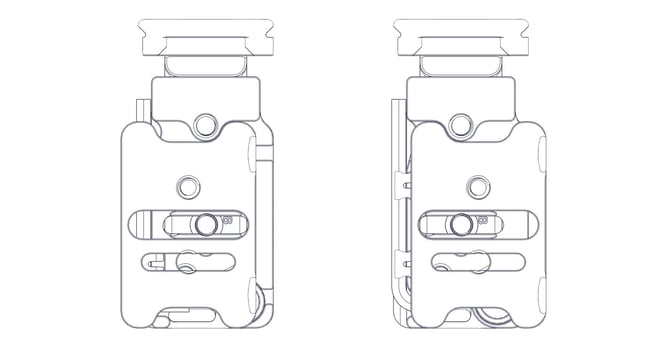
Step 3: - Use the B107 screw located in the center of the base plate to attach the MC-LS Mk2 to your camera, being careful to align the dovetail parallel to the sensor plane.
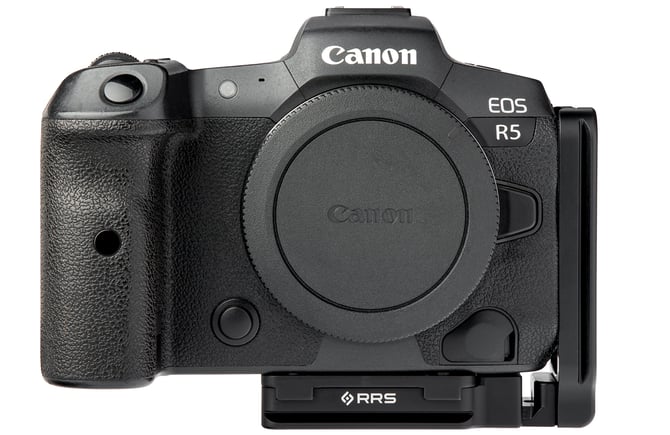
Step 4: - Adjust the full L component (LC1 and LC2) until it fits flush against the side of your camera.
Note: Extending the L component away from the side of your camera is to accommodate for easier access to ports and screen articulation.To extend: loosen the first B107 screw at the very bottom of the plate.
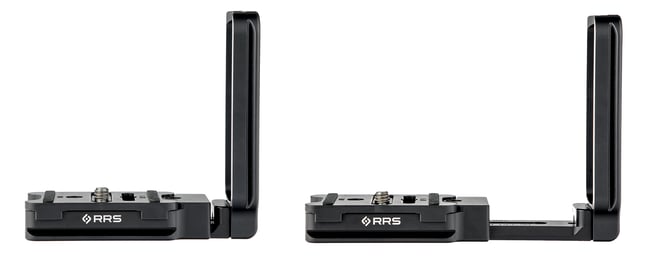
Step 5: - Adjust the full L component (MC-LC1 and MC-LC2 together) by bringing it either forward or backwards so you have complete access to ports.
Note: Sliding the L component forward and backwards will help accommodate the location of the side ports for different cameras and stiff cables that need more room. For cameras with flip-out screens, you may need to choose a priority of access to the ports or clearance for the screen to fully articulate. 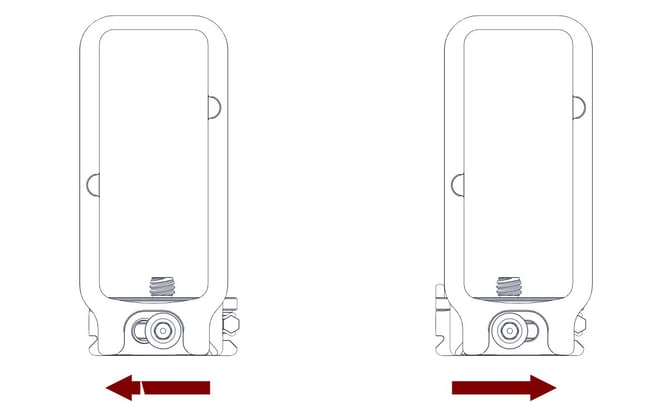
______________________________________________________________________________________
Section 5 - SCREWS
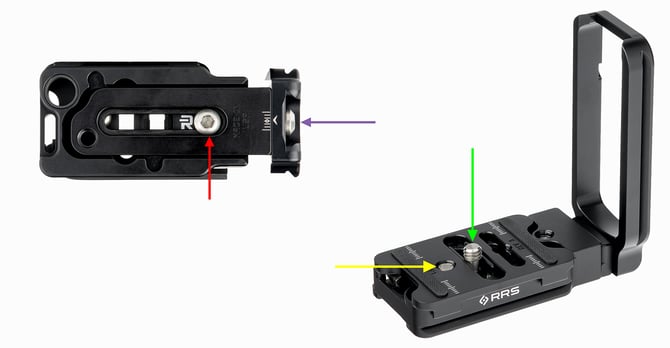
Green Arrow: Screw that connects the MC-LS Mk2 to your camera.
Yellow Arrow: Screw that connects the base plate to the Anti-Twist flange plate.
Red Arrow: Screw that connects the L component to the base plate.
Purple Arrow: Screw that connects MC-LC1 to MC-LC2.
-(If you switch the flange plate around horizontally, the location of the yellow arrow will change)
For any further questions, reach out to our customer service representatives at support@reallyrightstuff.com or call us at 385-248-0777